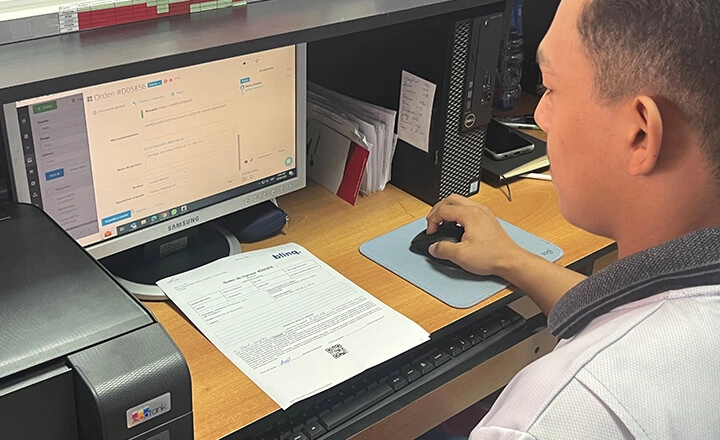


Response Time Reduced By 60 Times After A Year With ...
21 November 2025


RO App’s two-way Xero integration keeps your financial data in sync automatically, so you can work faster, reduce errors, and stay in control as your business grows.

Automatic two-way sync of invoices and payments
Flexible sync rules tailored to your workflows
Quick setup with guided onboarding


From workshops to field service teams, RO App connects daily operations with Xero and lets you customise processes without changing how your business runs.
See How RO App Helps Teams Work Smarter
“RO App is the only solution that gives us real-time control over our turnover and cashbox — critical in a business like ours with complex pricing and tax requirements. It’s a must-have for managing finances and serving clients efficiently.”

RO App’s work order software connects work orders and Xero in one seamless flow, helping you finish jobs faster, invoice instantly, and eliminate manual accounting work.

Track and manage every job from one dashboard.
Generate invoices from completed work and share payment links.
Sync invoices and payments with Xero automatically.
Try RO App Free
Start syncing with Xero in minutes. Get full access for 7 days. No credit card required.
RO App’s invoicing software updates Xero in real time, so invoices, payments, and changes are always aligned without manual fixes.
Send invoices and record in-person payments with full 2-way Xero sync.
Update invoices in RO App or Xero and see changes sync instantly.
Remove manual bookkeeping and keep your financials accurate.

Trusted by Small Businesses Worldwide
“RO App is a great tool for scaling. With all of our processes already in the system, it’s easy to connect a new location or a new employee and get them working right away.”

RO App’s inventory management software with Xero makes it easy to track inventory across jobs, locations, and services. From parts used in repairs to products sold, your stock stays organised, and your books stay clean.
Monitor stock levels in real time across teams or locations.
Link parts and products to invoices for seamless Xero syncing.
Reduce stockouts, overordering, and manual tracking errors.

Plan jobs, track progress, and instantly send completed work from RO App’s job scheduling software to Xero, so scheduling, billing, and accounting stay perfectly aligned.
Manage employee scheduling and monitor job progress in one system.
Create invoices the moment work is completed.
Sync invoices with Xero both ways.

Real Results from Businesses Using RO App Every Day
“RO App helped us reduce the turnaround time by more than 60 times. It allows us to serve, on average, 200 more devices than we did before.”

RO App’s customer management software ensures customer records, invoices, and payments stay consistent across your CRM and Xero.
Unified customer and job tracking
Automatic two-way Xero synchronisation
Fast client data transfer to Xero (coming soon).

Two-way syncing ensures both systems are always up to date.

Decide what syncs, when it syncs, and how it behaves.

RO App and Xero keep up as your workload and revenue grow.
RO App combines expert onboarding with self-serve resources, so your Xero sync works from day one.
Personalised onboarding sessions
Fast Xero connection
24/7 Help Centre with clear guides

Try RO App free for 7 days
Streamline jobs, invoices, and accounting today. Full access to RO App. No credit card required.
Frequently Asked Questions about Xero Integration Software

Xero integration connects RO App with Xero, allowing invoices, payments, and customer data to sync automatically between your operations and accounting. This removes manual data entry and keeps your financial records accurate and up to date.
Yes. RO App offers full two-way integration with Xero, automatically syncing invoices and payments between both systems in real time.
RO App syncs all essential invoicing data, including invoices, payments, issue and due dates, customers and payers, product quantities, prices, and discounts.
Yes. You decide which invoice statuses in RO App trigger syncing, giving you full control over what data is sent to Xero and when.
Yes. Active accounts in both RO App and Xero are required to enable data syncing.
Go to Settings → Integrations, select the Xero integration, and click Configure. You’ll be guided through connecting your Xero account and setting up your sync rules step by step.