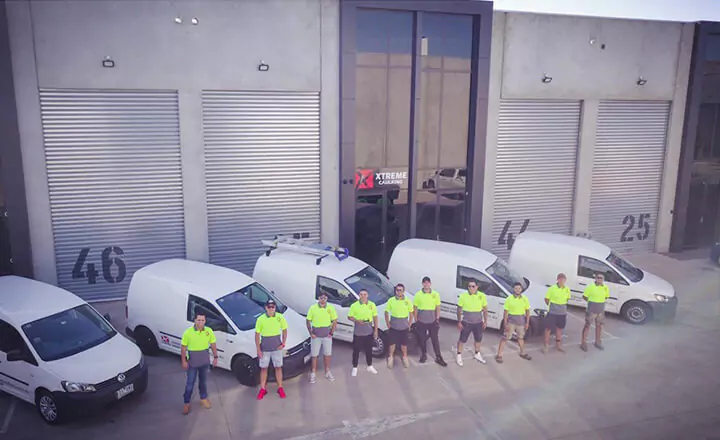





Transparency Of Processes In Two Business Lines Accomplished With One Solution
1 June 2026

RO App combines employee scheduling with operational tools used by small businesses every day. Schedule shifts, track working hours, and manage workload across locations.

Employee schedules on web and mobile
Clock-in and out & timesheets
Location-based scheduling


Our employees get paid depending on the work done, and they love to check in RO App how much they have already earned. This motivates them.

Plan your team’s workdays digitally so everyone knows when they’re expected to work. RO App helps you manage staff schedules clearly and keep shifts coordinated across locations and teams.

Plan employee shifts weeks or months in advance
Set daily working hours and shift intervals
Manage staff schedules across multiple locations
Try RO App Free
Plan shifts and track hours in one app. Full access for 7 days. No credit card required.
RO App includes a built-in time tracking system that records employee work hours in real time. Start and stop the work timer in the web or mobile app whenever a shift begins or ends.
Clock in and clock out to record work time in seconds
Track real working hours automatically
Capture multiple work intervals per day

When creating a roster for guys, it’s handy to use everything in one system. That's really good. When we schedule detailing jobs, we can see in RO App who is working, having a day off, or having a holiday, so we don't overbook cars.

Many scheduling tools only show staff availability. RO App’s online booking software also connects employee schedules with client appointments, helping you see when staff are needed and how busy your team is.
Schedule appointments based on employee availability
View bookings by employee or resource
Drag and drop bookings to adjust schedules
See RO App in action
Discover a better way to schedule your team. Get a guided tour of RO App.
Book a Demo
Track staff schedules and working hours from anywhere with RO Mobile App. Employees can view upcoming shifts and record their working time directly from their phone.
View employee schedules and upcoming shifts on mobile.
Start and stop work timers from the work order app.
Stay updated on schedule changes while on the go.


Even with a well-planned schedule, actual working hours may differ. RO App lets you compare planned schedules with real hours worked using built-in timesheets.
Ensure payroll calculation reflects real working hours
Monitor weekly or monthly employee workloads
Identify scheduling deviations quickly
RO App made it easy to assign jobs and track our team’s work throughout the day. Everything is now organised in one system instead of spreadsheets.
If employees work across multiple locations, RO App’s multi-location shop management software lets you schedule their time for each location separately. Employees simply select their location when clocking in, ensuring accurate time records.
Schedule employees by location
Track work hours across branches
Prevent overlapping shifts


Manage vacations, sick leave, and days off to keep staff schedules accurate.

Apply recurring shift patterns to fill schedules faster.
Plan jobs and assign the right staff in one system.

Record the time employees spend on each job.

Generic scheduling tools mainly focus on planning shifts. RO App goes further by combining employee scheduling, time tracking, bookings, and work order management into one system.
Simple software for scheduling, time tracking, bookings, and jobs.
Tailored onboarding and a detailed Help Centre to support your team.
Regular updates that continuously improve features and workflows.
Try RO App free for 7 days
Organise your team and operations in one system. Sign up today. No credit card required.
RO App is designed for businesses that schedule people around real jobs, repairs, and appointments. Keep teams organised across workshops, locations, or service areas.
Frequently Asked Questions about Employee Scheduling Software

Employee scheduling software helps businesses plan employee work schedules, track working hours, and manage staff availability using a digital system instead of spreadsheets or manual planning.
In RO App, a schedule contains planned working hours, while a timesheet records the actual hours employees worked. Payroll calculations are based on timesheet data.
Yes. Employees can use the built-in clock-in/clock-out timer to record when they start and finish work.
Yes. With RO Mobile App, employees can view upcoming shifts, check schedules, and record their working hours directly from their phone.
Most businesses can start scheduling employees the same day. RO App provides tailored onboarding and a Help Centre to help your team set up schedules, timesheets, and time tracking quickly.