


How CForma Scaled Its Appliance Repair Operations with RO App
15 July 2026

Whether you're fitting locks, cutting keys, or responding to emergency lockouts, the all-in-one locksmith software helps you organise your schedule, dispatch jobs faster, and keep every customer informed.

Schedule planned jobs and emergency call-outs in one calendar
Reassign work in seconds when urgent jobs come in
Turn completed jobs into invoices before leaving the customer's property


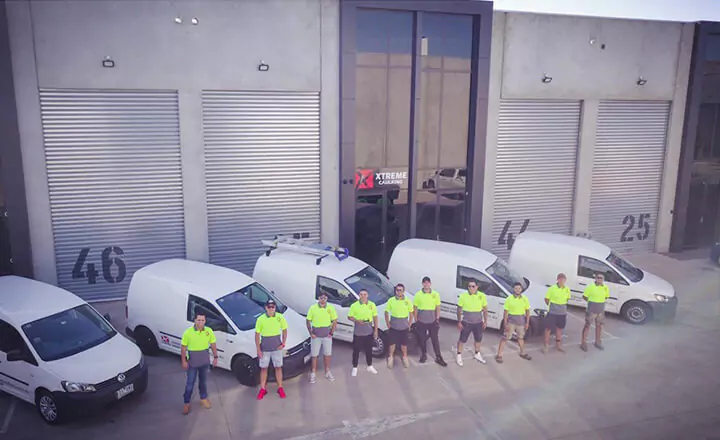
RO App gave us control and clarity. Today, we know exactly how many active work orders we have, which technician is assigned to each job, what parts are in inventory, and how much we are billing. We no longer operate by reacting to chaos; we operate with planning and real data.

Keep planned appointments and emergency call-outs organised in one live calendar. When priorities change, your schedule changes with them.

Drag and drop jobs to reorganise your day in seconds.
Accept online bookings through RO App’s locksmith booking software, with every appointment automatically added to your schedule.
Colour-code jobs by service type, such as lockouts, lock changes, uPVC door repairs, safe work, or auto locksmith services.
Send automatic confirmations and reminders before every visit.
With locksmith technician scheduling software built for mobile businesses, you'll always know who's available and where they're going next.
Try RO App Free
See how easy it is to organise every locksmith job in one system. Free for 7 days. No card needed.
RO App combines locksmith dispatching with job scheduling software, helping you respond to urgent lockouts without creating confusion for the rest of your team.
Assign emergency call-outs to available locksmiths from one dispatch board.
Send instant push notifications with job details to the locksmith's phone.
Prioritise urgent lockouts so they stand out from scheduled work.
Track every job's status in real time from the office.
Automatically notify customers when the locksmith is on the way.

Every installation project we take on is different, and we needed software that could adapt to the way we work. With RO App, we can track every job, customer, and payment in one place, while giving our team instant access to the information they need to serve customers faster.

RO App’s locksmith work order software turns every booking into a digital work order and every completed job into a professional invoice.
Work orders are created from scheduled jobs.
Digital quotes become jobs and invoices without duplicate data entry.
Labour, call-out fees, and parts are automatically transferred.
Accept card and contactless in-person payments on-site.
Keep your accounts up to date with Xero and QuickBooks two-way sync.
Automatically remind customers about unpaid invoices (coming soon).
With the complete locksmith management software, your schedule, work order, and invoice are all part of the same record, helping you get paid before you pull away from the kerb.
See RO App in action
Get a personalised walkthrough of RO App for your locksmith business. We'll show you how to organise your schedule, respond to emergencies, and keep every job moving.
Book a Demo
When you're working from a van, everything you need should be in your pocket. RO App keeps your schedule, customer records, and job details with you wherever you go.
Access today's schedule from RO Mobile App for iOS and Android.
Open the customer and property history before you arrive.
Capture photos and customer signatures on-site.
Add parts, labour, and call-out fees while the job is in progress.
Keep everything synced with the office.
Whether you work alone or as part of a team, every job stays connected from dispatch to payment.

Before RO App, we were juggling Google Forms, spreadsheets, and manual processes to keep track of jobs and materials. Now everything is in one place, giving us complete visibility of what our team is doing in the field and helping us manage projects far more efficiently.

Accept online payments, send payment links, and automatically match payments to invoices.
Access customer details, property history, previous jobs, and notes in one place to deliver more personalised service.

Use the inventory management software to track stock across your workshop and vans, with automatic stock deductions for every job.

Whether you work alone or manage a growing team, RO App is locksmith service software that adapts to the way you work.
Your mobile office
Run your entire business from your phone without relying on notebooks, spreadsheets, or memory. Book jobs, manage customers, send invoices, and stay organised wherever you are.
Keep every van moving
Coordinate multiple vans, dispatch engineers faster, avoid scheduling conflicts, and give your whole team one shared view of every day's work.
Try RO App free for 7 days
Replace your paper diary with a live schedule, digital work orders, and faster invoicing. Start your free trial now. No card needed.
Frequently Asked Questions about Locksmith Scheduling Software

RO App is built for both. Solo locksmiths can manage their entire schedule, customer records, work orders, and invoices from their phone while they're on the road. As your business grows, simply add more locksmiths and vans to the same system, giving everyone a shared schedule and workflow.
Yes. The locksmith service booking software lets you manage planned appointments and emergency lockouts in one live schedule. Use priority flags for urgent jobs, see who's available, and quickly assign a locksmith without disrupting the rest of the day's work.
Absolutely. RO Mobile App for iOS and Android gives you access to today's schedule, customer and property history, work orders, and invoices. You can also capture photos and signatures, add parts and labour, and send invoices before leaving the customer's property.
Yes. Whether you're using a paper diary, spreadsheets, or a generic calendar app, switching to RO App is straightforward. Import your customer list, start booking jobs in one live calendar, and get up and running the same day with help from our onboarding team if needed.
Yes. RO App’s locksmith invoicing software offers two-way integration with Xero and QuickBooks, helping you keep invoices and payments in sync without manual data entry. If you use another system, you can connect RO App through Zapier, Make, or our Public API.