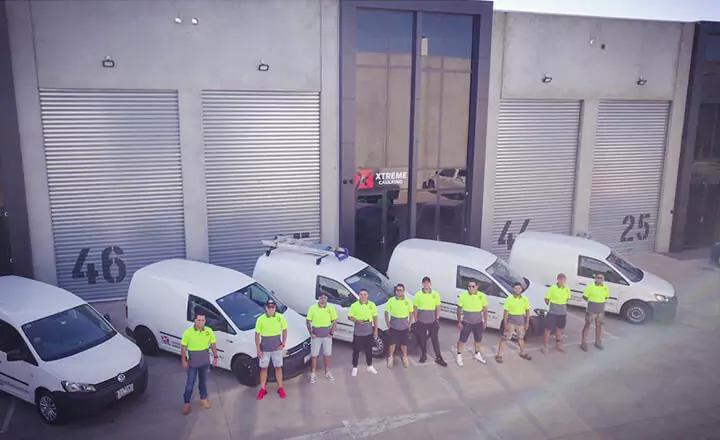




How CForma Scaled Its Appliance Repair Operations with RO App
19 March 2026

RO App brings quoting, crew scheduling, job tracking, and invoicing together in one business management system. With fencing company software, you can keep your fencing jobs organised whether you're at your desk or in the van.

Price up fences with materials and labour in one quote.
Schedule the crew with the right postcode and job details.
Invoice completed jobs without saving the paperwork for later.
Get RO App set up in an afternoon and run your entire business in one place.


RO App made it easy to assign jobs and track our team’s work throughout the day. Everything is now organised in one system instead of spreadsheets.

The sooner a customer gets a clear quote, the sooner they can say yes. With quotation software, that yes becomes the job you work from, not another piece of paperwork to enter again.

Keep your prices ready for panels, posts, gravel boards, concrete, fixings, and labour.
Build quotes on your phone while the measurements are still in front of you.
Price materials and labour separately so customers can see exactly what they’re paying for.
Send quotes for online approval so customers can accept without printing or calling back.
Turn an accepted quote into a job without retyping the customer, materials, and work details.
Measure it, price it, and send the quote from your van. Once it's approved, the details are ready for the next stage in fencing estimating software.
Run Your Next Fencing Job in RO App
Start your free 7-day trial and see how RO App fits your fencing business. No card needed.
Plan fence installs, gate fits, and repair jobs in one place. Fencing & gates software connects crew schedules with job details, materials, and site information, so installers know where they're going and what they need before setting off.
See who’s booked where in the job scheduling software and assign work to the right installer.
List the panels, posts, and fixings needed so the job details are ready before the van is loaded.
Add before-and-after photos from the mobile app to keep a record of the work on site.
Use on-site checklists to make sure every installation step is completed before customer sign-off.
When rain or high winds knock the week sideways, drag and drop jobs to another day in RO App. Your fencing scheduling software should make changes this easy, with every crew working from the same updated plan.

Before RO App, it was difficult to track purchase and selling prices, so managers had to involve an accountant when calculating an estimate. Now RO App automatically applies the correct prices to quotes and invoices.

By the time the fence goes up, most of the invoice is already there. RO App keeps digital invoicing connected to your job records, so labour and materials are ready to bill without rebuilding everything from notes in the van.
Take deposits for larger jobs and track what’s still to pay.
Offer online payments so customers can pay without another call or bank transfer chase.
Sync with Xero and QuickBooks so your accounts don’t mean another round of data entry.
Calculate VAT automatically when you invoice.
See RO App in action
Get a guided look at how RO App can take your fencing jobs from quote to invoice.
Book a Demo
There's more to running a fencing business than getting jobs done. RO App also helps you manage stock, purchasing, customer records, and other daily operations alongside your scheduled work.

Use inventory management software to track panels, posts, gravel boards, fixings, and other materials, so you know what’s available before loading the van or ordering more.

Create purchase orders for panels, posts, concrete, and other materials you need from suppliers. Track what you’ve ordered and what’s arrived, so you know whether tomorrow’s job is ready to load.
Keep customer details, quotes, and previous jobs together in RO App. When someone calls about another fence, a gate, or a repair, you can see their history without searching through separate files.

Record labour hours against each job and see how long the crew actually spent on site. Compare that with the time you priced for and use the difference to estimate future jobs more accurately.
Whether you're a two-person fencing team or managing several crews, RO App brings your daily operations together in one place. Start with quoting, scheduling, and invoicing, then use more business management tools as your workload grows. Explore RO App plans and pricing.
Look organised without hiring an office.
Use fencing software to quote from the van, plan your jobs, and send invoices without saving the paperwork for the evening. Customers get a professional experience while you spend more of the day doing the work.
Everyone knows where they’re going and what they need.
Give each installer the job details, postcode, and materials before they set off. The whole crew works from the same schedule, with fewer morning calls asking where to go or what to load.
See the whole week and get every finished job invoiced.
Give the office a clear view of scheduled work, crews, and completed jobs. As work moves from quote to site to invoice, every finished job stays visible and gets billed on time.

Try RO App free for 7 days
Quote jobs, organise the crew, and invoice completed work in RO App. Try it free with the jobs you already have coming up. No card needed.
From gate installs and repairs to other outdoor jobs, RO App lets you manage the work alongside your fencing jobs.
Frequently Asked Questions about Fencing Contractor Software

Yes. You can import your existing customer list and product catalogue, including the prices you already use for panels, posts and other materials. RO App also provides onboarding support to help you make the switch. Most businesses can be up and running in 3–5 days.
Yes. RO App has mobile apps for iOS and Android, so installers can work from their own phones. They can open the job, check the details and materials, add photos, and capture customer sign-off while they’re on site. That means less paperwork to bring back to the van or office.
Yes. RO App has two-way integrations with Xero and QuickBooks Online for invoices and payments, with tax mapping available as part of the setup. Changes to supported invoice data can sync between RO App and your accounting system, so your accountant doesn’t need you entering the same invoice twice. For other tools, RO App can connect with hundreds of apps through Zapier and the RO App API.
Yes, a two-man fencing team can use RO App without running it like a big company. Start with the everyday jobs: send quotes, organise the diary, see what’s happening on site, and get invoices out on time. If you add another van or crew later, you can manage the extra workload in the same software for your fencing company.
Yes. Save your materials and prices in RO App, then add the quantities you need to each estimate, including products measured by pieces or metres. Labour can be priced separately, and products and services stay with the job as it moves through the workflow, so you don’t have to build the job from scratch at every stage.